|
»Click here to display Table of Contents«
|

To move the lower limbs |

|

|

|

|
|
To move the lower limbs |
|
|
|

|
|
»Click here to display Table of Contents«
|
To move the lower limbs |
|
|
|
|
|
To move the lower limbs |
|
|
|
|
| 1. | Click the Lower limbs toggle to display the corresponding page. |
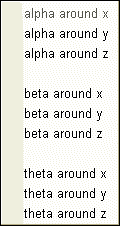
| 2. | In the Lower limbs positioning part of the window, select the left or right leg angle to adjust: |
| 3. | The part of the leg that will move is highlighted in red. |
| 4. | Use the mouse to move the leg: |
| 5. | Click  . . |
| 6. | In the graphic window, pick a node on the leg (the available nodes are displayed in green) and move the mouse to rotate the leg. The leg is moved along a red circle. |
| 7. | When finished, click Yes in the Dialog menu bar. |
| • | If necessary, pick another node to move the leg around the same angle, or click Cancel in the Dialog menu bar. |
or
| • | Set the angle in the field. |
or
| • | Click  to adjust the angle. to adjust the angle. |
| 8. | Click  to save the angle setting. to save the angle setting. |
| 9. | If necessary, select another angle and repeat the same steps to adjust it. |
| 10. | Click Close to close the menu. |