


|
Creating a New Theme
Creating a new theme allows setting the default or custom styles, color palettes, general colors, editor, and shape palettes to be used in workbooks and parts.
Steps:
1. On the Themes page, click  .
.
The New Theme dialog displays.
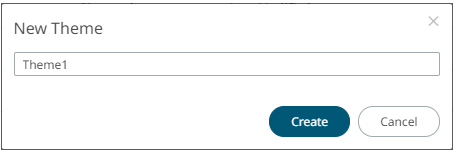
2. Enter the name of the theme then click
 .
.
The new theme is displayed on the Theme page.
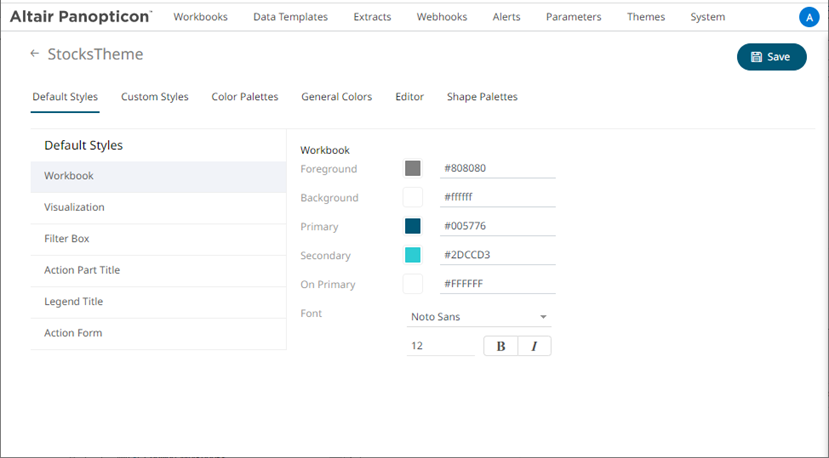
3. When creating a new theme, you may specify the following properties:
· Default Styles – Define the default style settings of the workbook, visualizations, filter box, action part title, legend title, and action form.
· Custom Styles – Define the settings of the custom styles.
· Color Palettes – Manage, import, or export Text, Sequential, and Diverging color palettes.
· General Colors – Define or create duplicate general color.
· Editor – Define the editor style settings.
· Shape Palettes – Define the settings of shape palettes and add, upload, download, duplicate, or remove them.