Add an Hydroform Operation
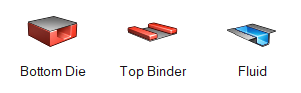
Simulate a top binder holding the blank of a model while fluid deforms the blank against the bottom die.
-
From the Tryout ribbon, click the Add
 operation icon.
-
From the Add Operation window, select Hydroform.
 The Hydroform draw operation is added to the Tryout ribbon.
 -
Click the Hydroform draw operation.
The default tools are displayed.