Extrude faces
Extrude faces
To extrude faces:
| Step | Action | |
|---|---|---|
| 1 | Activate the Extrude faces command (see next block) | |
| → | An Extrude faces dialog box is opened. | |
| 2 |
Define the extrusion:
|
|
| → | New entities are added in the Flux PEEC project according the chosen building option. | |
| → | An Extrude faces dialog box is opened. | |
| 3 |
Go on extrusion:
|
Quit the sequence of extrusion:
|
Activate the command
To activate the Extrude faces command, which requires data selection, choose one of the methods presented in the figure below:
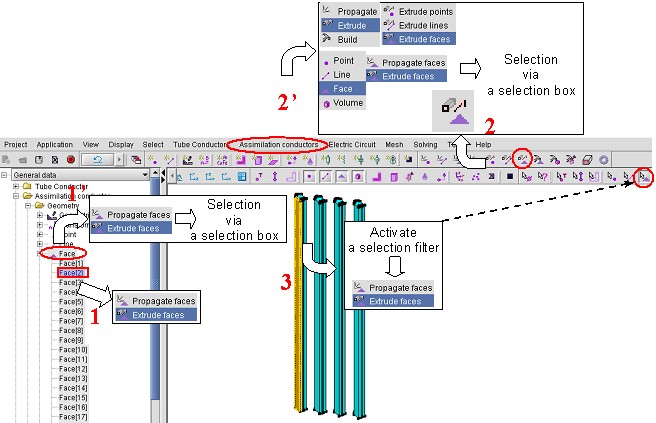
Remember: To open a contextual menu, use the right button of the mouse. For
multiple selections, keep the Ctrl key pressed.